Did you configure a policy like in this image?
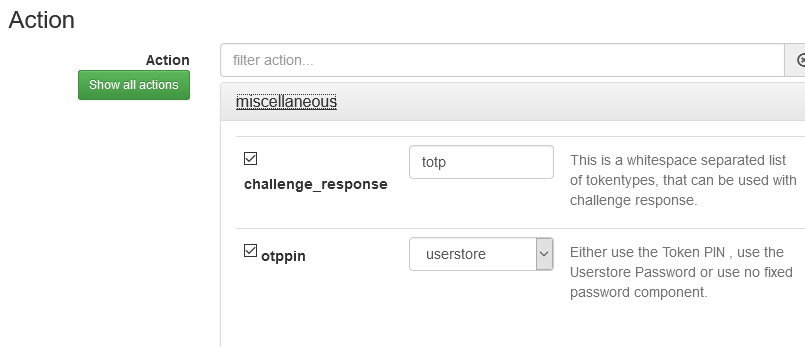
If so, selecting user store for the otppin instructs PrivacyIDEA to use the password from your userstore, that is, use the password from Active Directory. Uncheck that option and PrivacyIDEA will check the password field value against the tokens assigned to the user.
I’ve double-checked my installation and configuration against that guide and, other than the one setting mentioned above, it’s identical. So, I don’t know how the guide’s author is getting a second window prompting for OTP. There’s a lot of configuration that seems to be missing from the guide for both systems as well.
The authentication flow in my setup is, in my opinion, better than provided in the guide as it doesn’t require the user to enter their AD credentials. The user enters their AD username and then their OTP+PIN for the password.
The guide also omits configuring a policy to forward user information in the radius response. This policy, coupled with proper rlm_perl.ini configuration, is incredibly beneficial with a Fortigate. With it configured this way, the Fortigate can process policies based on the user’s AD group membership.